
Try our website's awesome new prescription identification feature! Just snap a photo of your prescription, upload it, and watch as it auto-fills all the values into the forms—if something looks off, a quick click lets you tweak it. But hey, since it’s system-powered, double-check before submitting your order to be sure—easy, right? Give it a go!
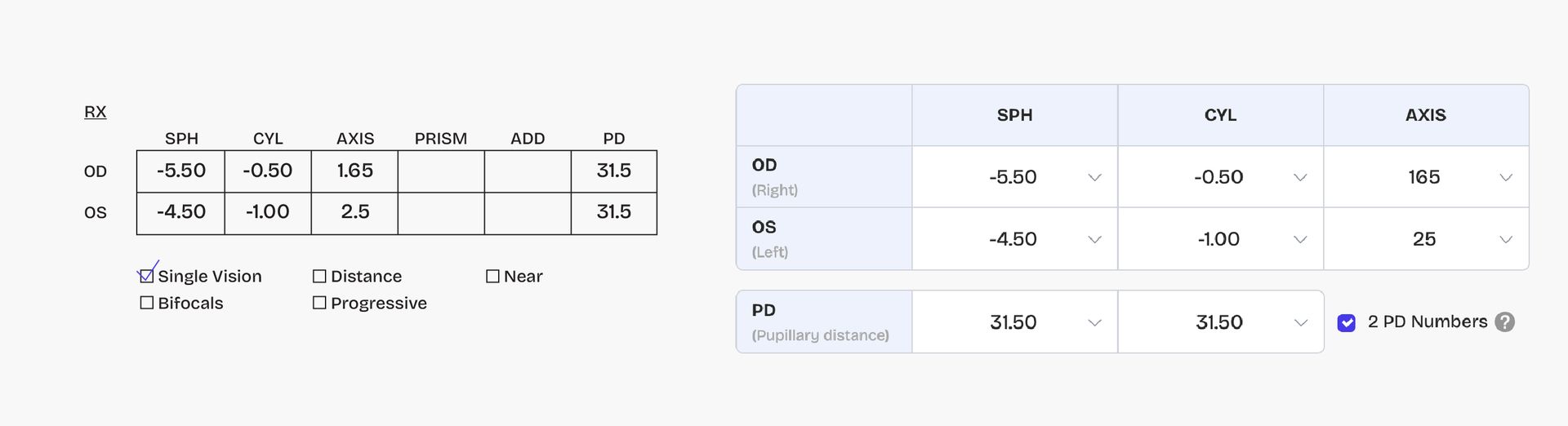
Single Vision Prescription
If your prescription is like the following one, you need first to choose a single vision type and then fill in the correct information like the example below.
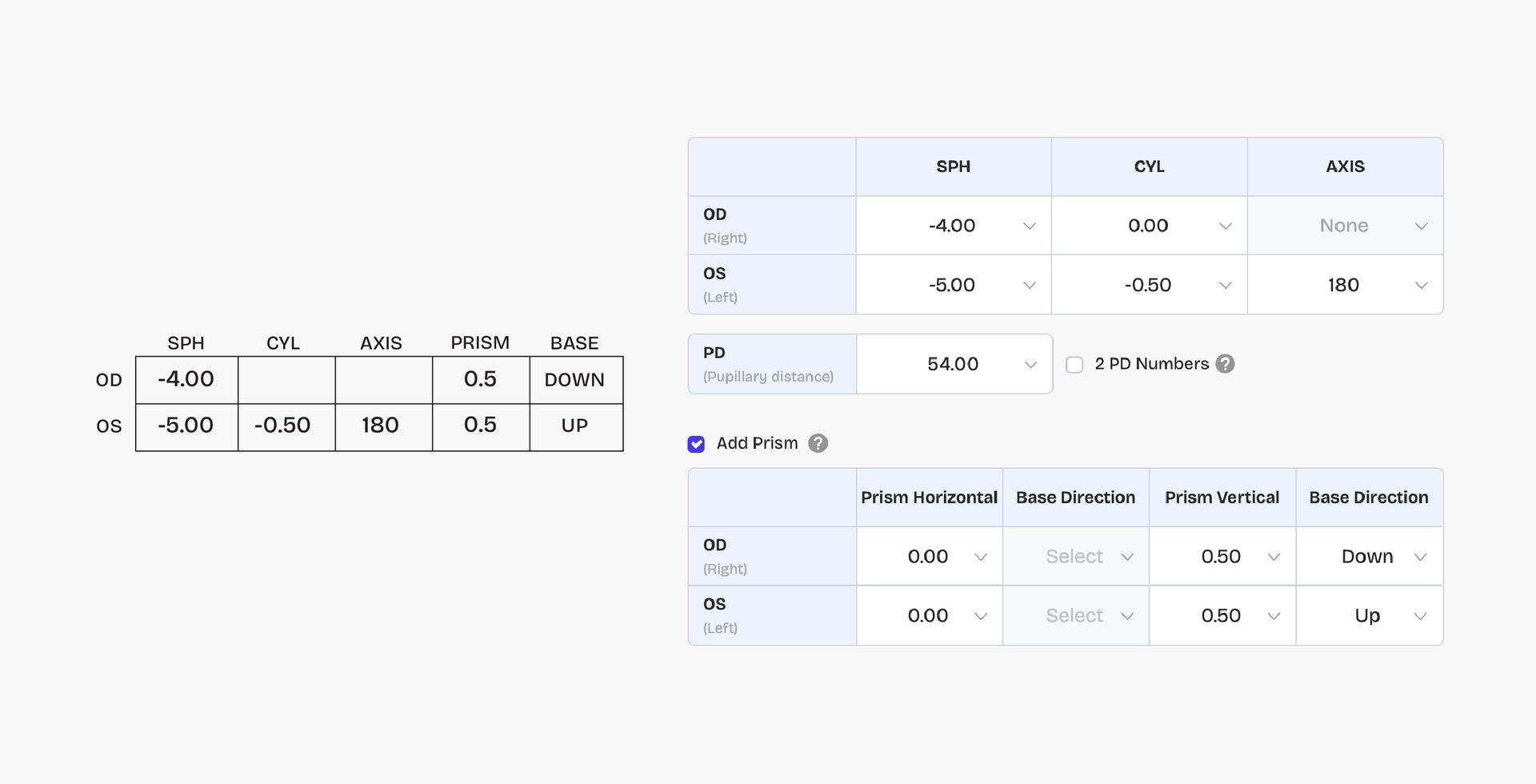
Single Vision Prescription With Prism
If your single vision prescription is like the following one, you also need to fill in the prism information besides all other information like the example below. (Note: there is no PD value in the prescription, but actually you need to fill in your PD value) How to measure your PD?
Varifocal Prescription
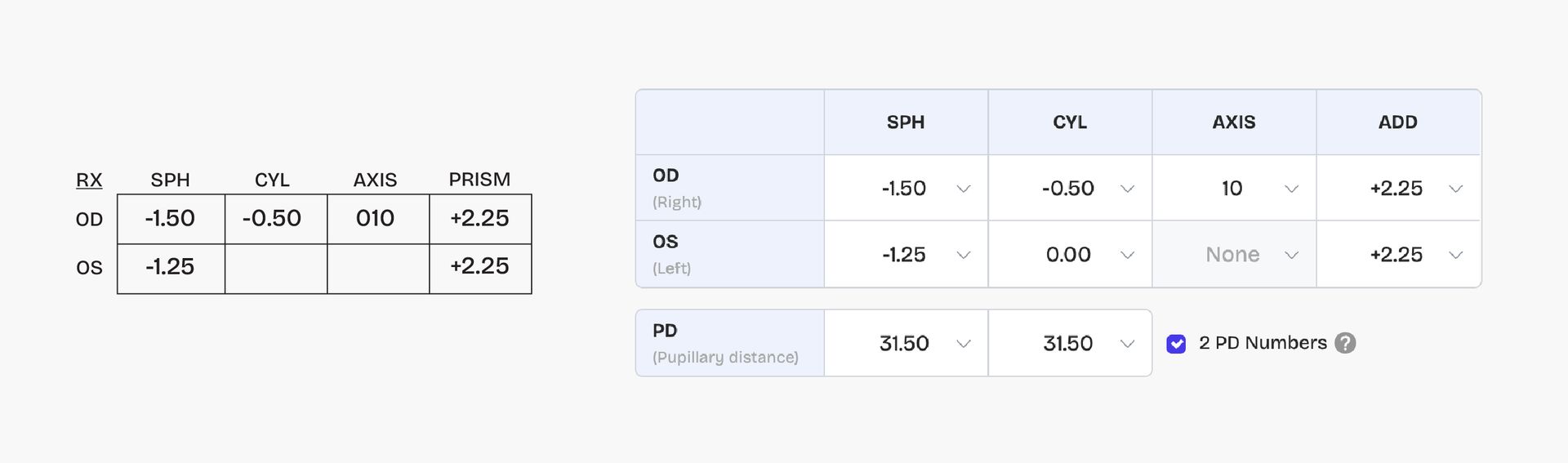
- If your prescription is like the following ones, you need to fill in information like the example below. (Note: there is no PD value in the prescription, but actually you need to fill in your PD value) How to measure your PD?
- For sample 1, you just need to fill in the corresponding values.
- For sample 2, you need to change +225 to +2.25, -150 to -1.50, -125 to -1.25, -50 to -0.50 and then fill in the corresponding values.
- For sample 3, you need to use Near O.D. +0.75-Distance O.D.-1.50 or use Near O.S.+1.00- Distance O.S. -1.25 to get the ADD +2.25 value and then fill in the ADD blank.
PS: the three different prescriptions get the same prescription lenses.
Reading Prescription
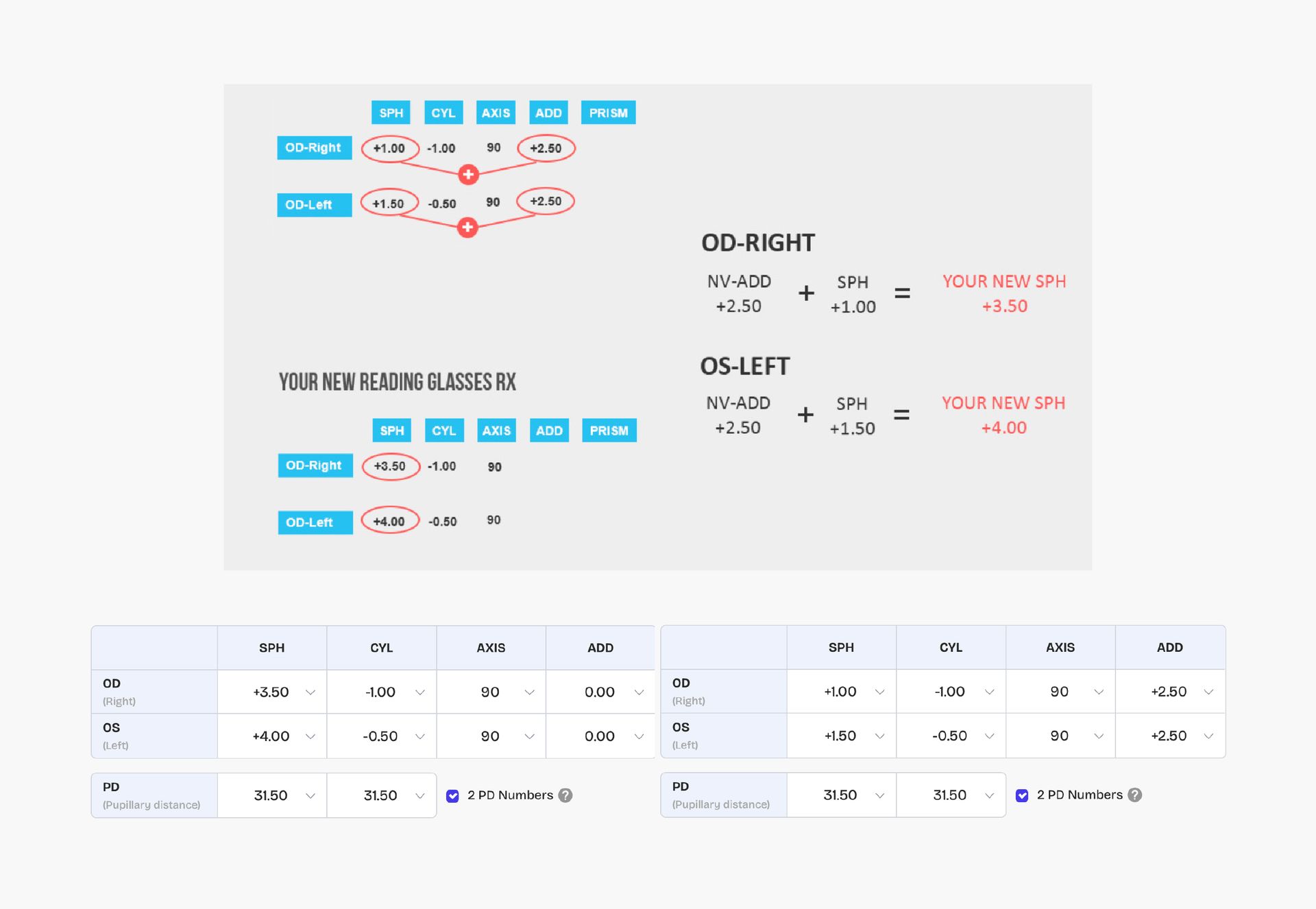
If your prescription is like the following ones, you need to fill in information like the example below. (Note: there is no PD value in the prescription, but actually you need to fill in your PD value)
Other Information You Might Use When Filling In Prescription
- OD stands for “oculus dexter,” or right eye.
- OS stands for “oculus sinister,” or left eye.
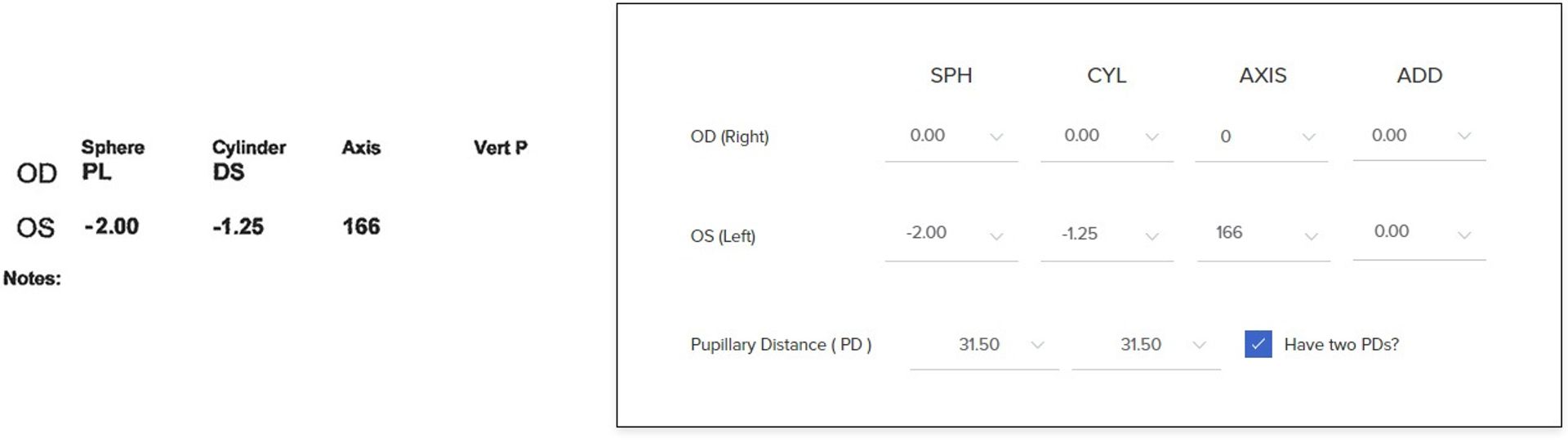
- if there is PL or DS in your prescription, it means the value should be 0.
- The term PL (Plano) means there is no spherical correction in this eye.
- DS stands for “diopter sphere”, which means there is no astigmatism correction for this eye.
- You need to fill in information like the example below. (Note: there isn’t PD in the prescription, but actually you need to fill in your PD measurement)
- How to measure your PD?

Comments
0 comments
Please sign in to leave a comment.